Open Assistant.
Your server. Your data.
A self-hosted personal assistant that connects your email, calendar, files, notes, and messaging into one conversational interface — no subscription, no vendor lock-in, no data leaving your infrastructure.
Prefer to self-host? One-command install ↓
 Python 3.11+
 FastAPI
 Single container
 SQLite
Everything you need,
right in your browser.
Four short screen recordings straight from the app — chatting, managing agents, assigning tools, and rendering artifacts.
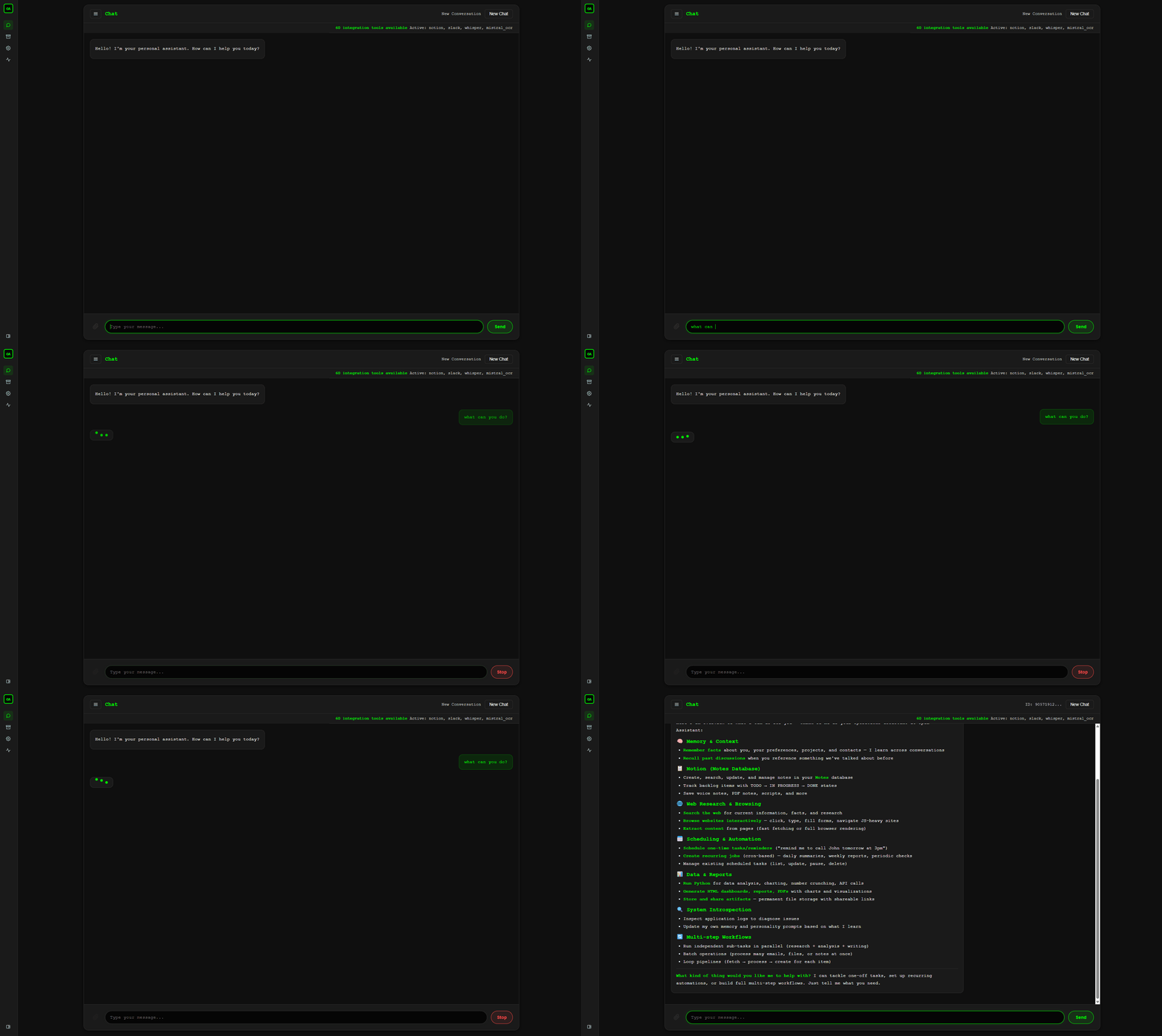
💬 Chat with your assistant
Ask "what can you do?" and Open Assistant answers with its actual, live capabilities — no scripted demo, just the real coordinator routing your question.
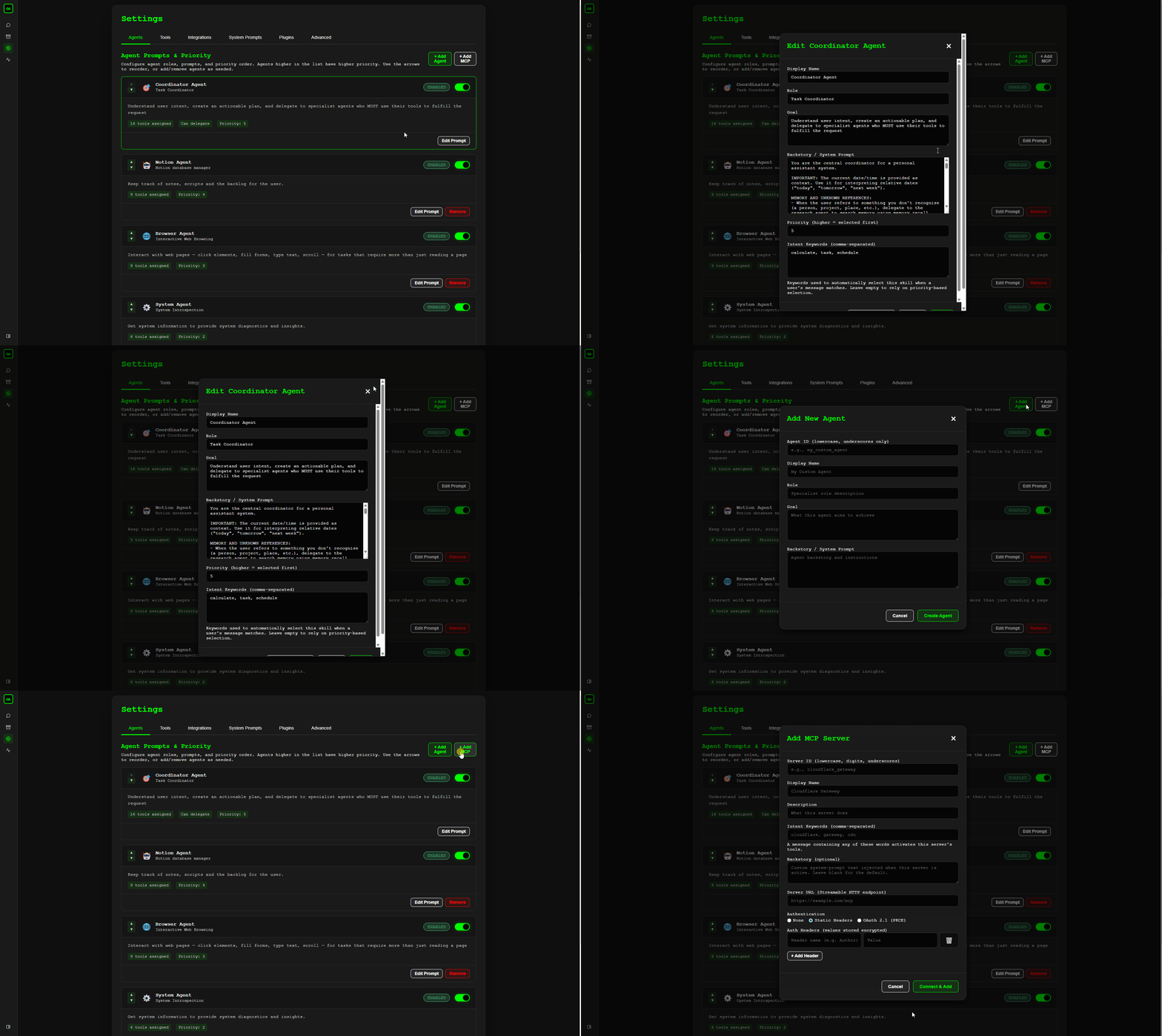
🤖 Manage your agents
Settings → Agents shows the full roster, and lets you add your own custom agents or connect external MCP servers alongside the built-in ones.
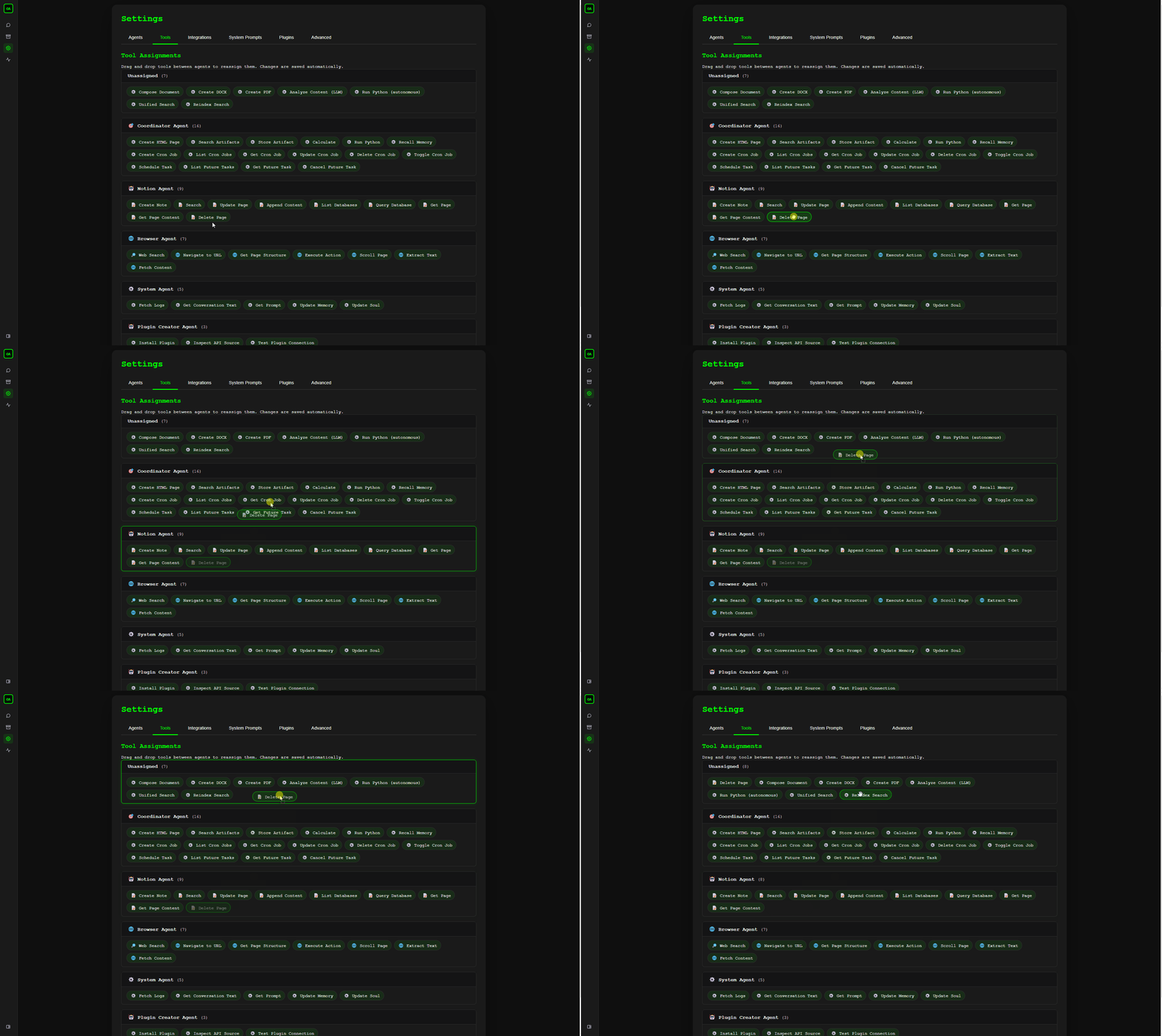
🔧 Grant tools, tool by tool
Drag "Delete Page" off the Notion agent and onto Unassigned — access is revoked instantly. Every agent's toolset is yours to shape, one tool at a time.
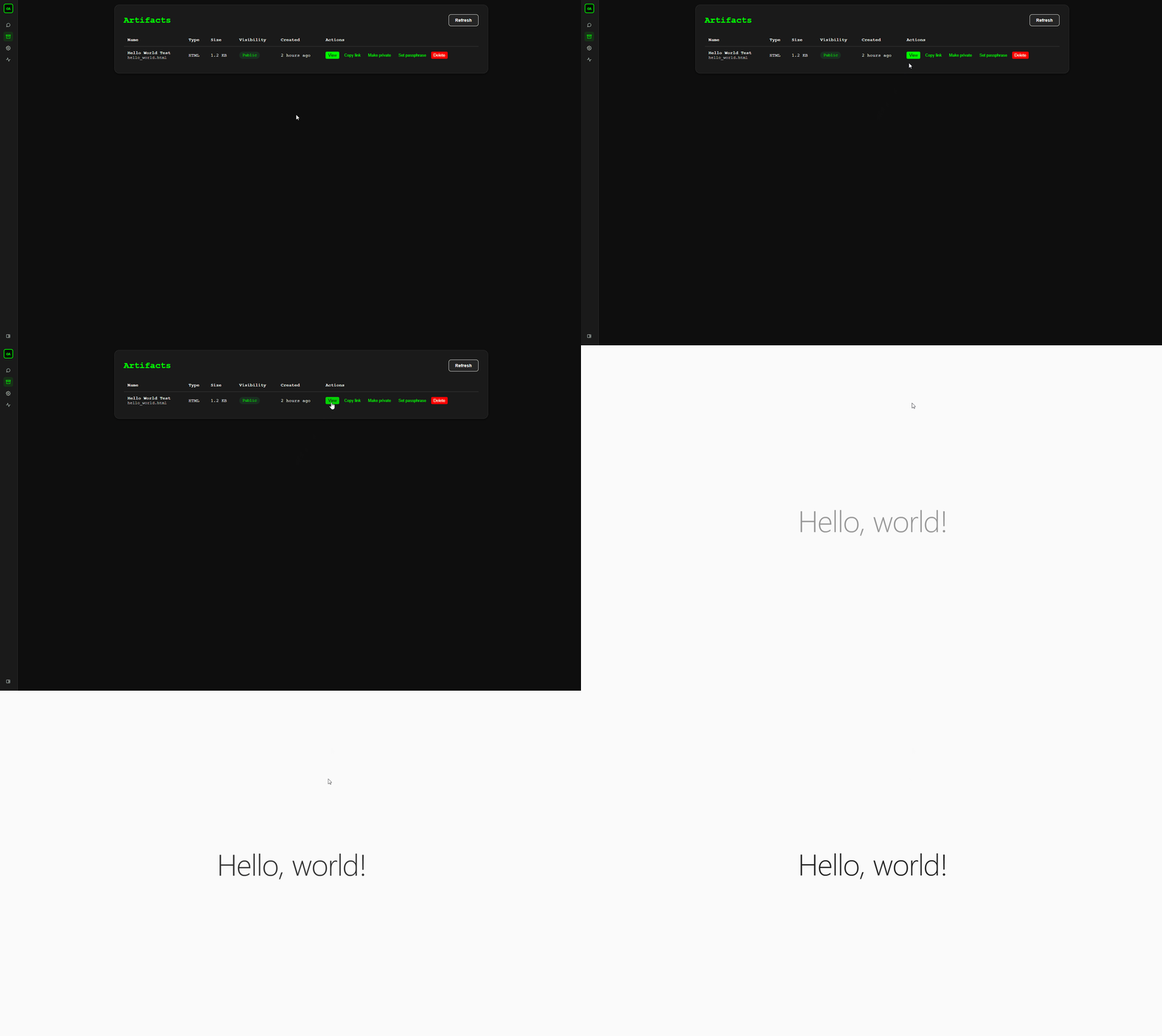
📄 Render artifacts
Anything your assistant builds — a page, a report, a small tool — shows up in the Artifacts tab. Click it and it renders live, right in the app.
Your productivity tools are everywhere.
Your AI assistant shouldn't be.
Commercial assistants either live in the cloud with your data, only cover one ecosystem, or require you to paste context into a chat box. What you actually want is an assistant that can act — not just answer.
What's out there today
- ChatGPT doesn't touch your email or calendar
- Microsoft Copilot is locked to the M365 ecosystem
- Google Gemini only covers Google Workspace
- Self-hosted chat UIs have no action tools
- Workflow tools need manual pipeline building
- Everything costs $20–$30 / user / month
What Open Assistant gives you
- An assistant that already knows where everything is
- Cross-platform: Gmail and Outlook side-by-side
- Actions, not just answers — 88+ real tools
- Runs on your hardware, under your control
- Every action logged, every credential encrypted
- $0/month beyond your LLM API usage
Everything connected.
One conversation.
Email & Calendar
- Read, search and send via Gmail and Outlook
- Create and manage events in Google Calendar and Outlook Calendar
- Manage tasks with Microsoft To Do
- Draft emails from natural language
Files, Docs & Notes
- Browse and search OneDrive, Google Drive, and Nextcloud
- Create and edit Google Docs, Sheets, and Slides
- Create and update pages in Notion and OneNote
- Unified cross-source search with hybrid ranking
Web, News & Finance
- Privacy-first web search via Brave
- Headlines and topic search via Google News
- Live stock and market data via Yahoo Finance
- Full browser automation with vision-based understanding
Messaging
- Chat via web UI, WhatsApp, or Slack
- Persistent conversation history with search
- Smart context management and auto-summarization
- Voice note processing and transcription
Automation & Scheduling
- Recurring tasks with cron expressions
- One-time future reminders
- Job execution history and monitoring
- Multi-step agent workflows, fully automated
Navigation & Places
- Search nearby places and points of interest
- Get directions and route information
- Geocoding and reverse geocoding
- Powered by Google Maps
Extensibility & Plugins
- Connect any REST API with zero code
- JSON schema-defined, auto-validated integrations
- Built-in plugins: Azure DevOps, WordPress, Toggl Track
- Bearer, header, and basic auth support
Security & Transparency
- All credentials encrypted at rest (Fernet)
- Full audit log of every tool invocation
- OAuth2 for all service integrations
- Zero telemetry — no phone-home
One message. Nine specialized agents.
Your message is routed to one or more specialized agents — each with the right tools for the job. A Coordinator orchestrates multi-step workflows. You don't configure anything. You just talk.
You send a message
Find the invoice from Acme Corp last month, attach it to a reply to their latest email, and add a reminder to follow up in 3 days.
The coordinator routes it
Intent detection identifies the required agents: File Handler searches OneDrive, Google Drive, and Nextcloud. Communication composes the reply. Planner schedules the follow-up.
Tools execute
Files are searched, the email is composed and sent, a future task is created — all in a single turn. Every action is written to the audit log.
You get a response
A plain-language summary of everything done, with confirmation of each step taken and a link to the audit log entry.
Works with the tools you already use.
Connect only what you need. Each integration is opt-in and configured from the Settings UI — no config files required.
 Gmail
Gmail
 Outlook Mail
 Google Calendar
 Outlook Calendar
 OneDrive
Google Drive
OneDrive
Google Drive
 Nextcloud
 Notion
 WhatsApp
 Brave Search
 Google News
 Google Ads
 Google Maps
 Toggl Track
 Playwright Browser
 Ollama (local)
 OpenAI-compatible LLMs
 Mistral OCR
 Custom Plugins
Connect only what you need. Each integration is opt-in and configured from the Settings UI — no config files required. Need something else? Use the plugin system to connect any REST API.
Built for people who care
about where their data goes.
Designed for self-hosters, privacy-conscious individuals, and EU organisations that need GDPR-compliant, fully auditable infrastructure.
Encrypted credentials at rest
All service credentials are encrypted with Fernet symmetric encryption before being stored. Raw tokens are never written to disk in plaintext.
OAuth2 everywhere
All integrations use OAuth2 flows. No raw passwords stored. Tokens are refreshed automatically and scoped to the minimum required permissions.
Full audit log
Every tool invocation is logged — what ran, when, with what arguments. Every settings change and authentication event is recorded. Nothing happens silently.
Zero telemetry
No analytics, no error reporting, no phone-home. The only outbound calls are to your chosen LLM provider and the services you explicitly configure.
Single-container surface
The entire application runs in one Docker container. The attack surface is contained, the codebase is auditable, and the deployment footprint is minimal.
Real workflows.
Fully automated.
From a single message, Open Assistant executes multi-step workflows across all your connected services — no manual glue required.
How it compares.
| Open Assistant | ChatGPT Plus | MS Copilot | Google Gemini | Open WebUI | AnythingLLM | |
|---|---|---|---|---|---|---|
| Self-hosted | ✓ | ✗ | ✗ | ✗ | ✓ | ✓ |
| Source available | ✓ BSL | ✗ | ✗ | ✗ | ✓ | ✓ |
| Email — send & read | ✓ Gmail + Outlook | ✗ | M365 only | Gmail only | ✗ | ✗ |
| Calendar management | ✓ Google + Outlook | ✗ | M365 only | Google only | ✗ | ✗ |
| File management | ✓ OneDrive + Google Drive + Nextcloud | ✗ | OneDrive only | Drive only | ✗ | ✗ |
| Notion integration | ✓ | ✗ | ✗ | ✗ | ✗ | ✗ |
| Web browsing | ✓ | ✓ | ✓ | ✓ | ✗ | ✗ |
| WhatsApp + voice notes | ✓ | ✗ | ✗ | ✗ | ✗ | ✗ |
| Task scheduling | ✓ cron + one-time | ✗ | ✗ | ✗ | ✗ | ✗ |
| Full audit log | ✓ | ✗ | partial | ✗ | ✗ | ✗ |
| Slack integration | ✓ | ✗ | ✓ | ✗ | ✗ | ✗ |
| Plugin / custom integrations | ✓ JSON REST APIs | Actions | Extensions | Extensions | ✗ | ✗ |
| Google Workspace docs | ✓ Docs, Sheets, Slides | ✗ | ✗ | Google only | ✗ | ✗ |
| Financial & market data | ✓ Yahoo Finance | ✗ | ✗ | ✗ | ✗ | ✗ |
| Monthly cost | $0 (personal) | $20 / user | $30 / user | $20 / user | $0 | $0 |
LLM API cost not included — typically $5–20/mo depending on usage and provider. Open Assistant is free for personal non-commercial use under BSL 1.1; commercial use requires a separate agreement.
Designed for extensibility.
Clean layered architecture: API → Business Logic → Integration → Data. New tools are a schema and a handler — the router picks them up automatically.
- → 88+ tools across 9 specialized agents
- → Plugin system — connect any REST API with zero code
- → Any OpenAI-compatible LLM — GPT-4o, Claude, Gemini, Ollama
- → SQLite database — embedded, zero config
- → REST API for all operations
- → Agent definitions are database-driven and editable at runtime
- → Vanilla JavaScript frontend — no build step
- → Full docs: architecture, integrations, API reference